Ultimate Digital Nomad Starter Kit 2026: Global Freedom Awaits
Unlock global freedom with our ultimate digital nomad starter kit for 2026. Discover essential gear, connectivity, skills, and financial tools to thrive remo...
The Digital Nomad Starter Kit That Actually Works
The gadget lists are easy to find and mostly wrong. What nobody tells you is that the gear is the easy part, and that most people who fail at this fail on visas, banking and loneliness rather than on wifi.
So: the kit, in the order you should actually set it up.
1. The visa question, before anything else
This is where the whole thing is won or lost, and it’s the bit nobody wants to hear. Most countries do not have a “digital nomad visa” as a legal category unless they say so, and working on a tourist permit is the way people get deported or lose residence rights.
The countries that genuinely have a nomad or remote-work visa in 2026 include Portugal, Estonia, Croatia, Greece, Spain, Malta, Costa Rica, and a handful of others, and they generally require proof of income, health insurance, and a clean criminal record.
Check the official immigration site, not a blog or a Facebook group. Then pick your base before you pick anything else.
2. Banking
- Wise or Revolut for multi-currency accounts and mid-market exchange rates. This is not optional; using your home bank will cost you real money on every transaction.
- A credit card with no foreign transaction fee. Everything else is noise.
- A second card from a different network, kept somewhere separate, for when the first one is blocked.
- Emergency cash in two currencies, physically on you.
3. Connectivity
An eSIM is now the default. Airalo, Holafly and Nomad cover most countries, cost a few euro to a few dozen, and activate in about five minutes.
- Check your phone supports eSIM before you travel; most flagships from 2020 onwards do.
- Holafly and similar unlimited plans suit heavy users. Airalo suits people who mostly need maps and messages.
- A portable hotspot is a luxury, not a necessity, unless you are going somewhere without coverage.
- A VPN if you will ever work on hotel or café wifi, and always use 2FA.
💡 Pro tip: Buy the eSIM before you leave home, but activate it when you land. Providers usually start counting the days when you connect.
4. Hardware
You need a laptop, a phone and a charger that works in every socket. That’s it, and you can’t spend more.
- Laptop: a 13-inch ultrabook with all-day battery. The MacBook Air and the Dell XPS 13 both do the job; so does a ThinkPad from four years ago.
- Phone: any recent flagship. The camera matters more than the processor for travel.
- Adapter: one universal plug with two USB-C ports. €25.
- Power bank: 20,000mAh minimum. Enough for two full charges.
- Backup drive: a small SSD, encrypted, in a different bag to your laptop if you can manage it.
Skip the camera body, the drone and the standing desk until you know what you actually use.
5. Software
Nothing exotic. Whatever you already use, synced:
- Cloud storage with real sync (Dropbox, Google Drive, OneDrive)
- A password manager (1Password or Bitwarden)
- A VPN client
- Offline maps (Google Maps or Maps.me) downloaded for each country
- A second authentication app for the accounts that matter
6. Health and insurance
- Insurance that covers remote work. A normal travel policy often does not. It’s the most important purchase in the list, and it’s not the laptop.
- A small medical kit, prescription medication with a doctor’s letter, and rehydration salts.
- Register with your home country’s embassy when you go somewhere risky.
7. Bags
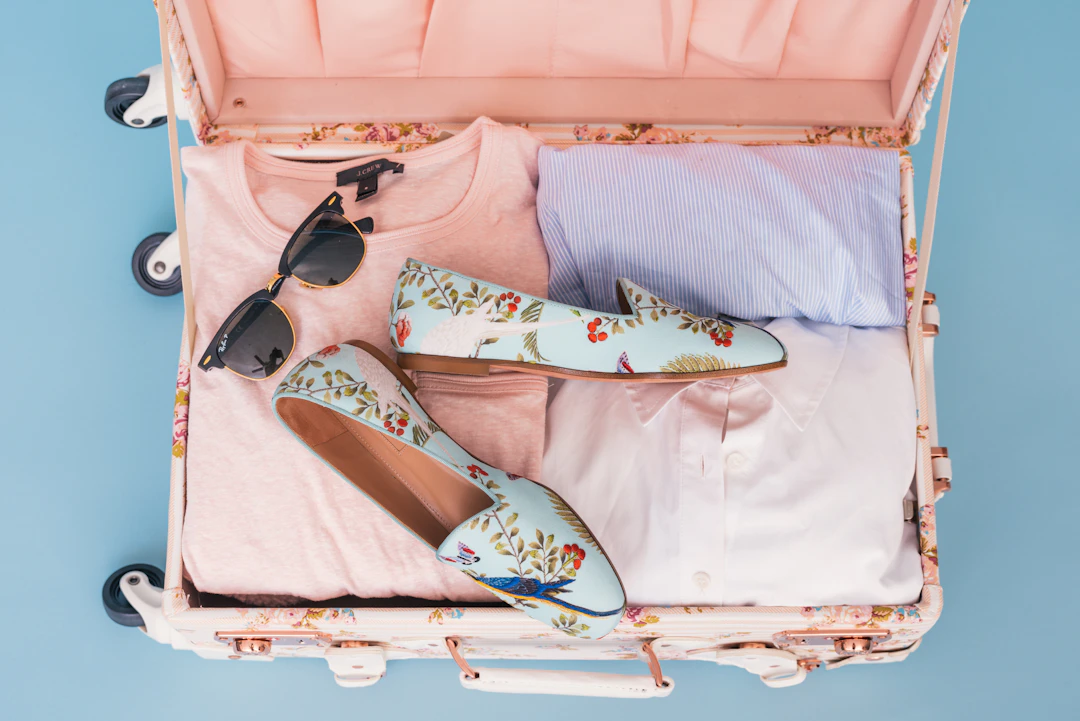
One 40-litre carry-on backpack. No checked luggage if you can avoid it. A lost bag on another continent is a bad week that you can’t fix.
Pack for five days and wash. Merino base layers, one decent jacket, shoes that work for walking and for a desk. Everything else you can buy.
8. The part nobody lists: people
This is the actual reason most nomad life works or doesn’t.
- Find one community in your first city and turn up to the meetup. Nomad cities have these; ask the coworking space or the café where there are laptops.
- Keep two friendships from home that are not work.
- Book the first two weeks with other people in mind, not sights.
- Know that the third month is when everyone struggles and the fourth is when it either works or you move.
A realistic first year
| Months | Where | Why |
|---|---|---|
| 1–3 | One city, one visa run | Learn the rhythm, get a routine |
| 4–6 | Same country, different city | Cheaper, less admin |
| 7–9 | A second country | You know enough to do it properly |
| 10–12 | Home for a month | See people, do paperwork |
Frequently Asked Questions
Do I need a MacBook? No. Any ultrabook with a USB-C charger works. Most people buy less than they think.
How much does it cost? €1,500 to €2,500 for the gear, then €1,200 to €2,500 a month depending on where you are.
What about taxes? Where you are physically present for more than 183 days is usually where you must pay, and several countries enforce it. Talk to an accountant when you hit that line.
Is it lonely? The first month is, if you don’t do anything about it. The fix is community, not a better city.
discover our how to book a cheap summer holiday in 2026 guide · discover our how to pack carry on only for a 2 week trip guide · discover our the ultimate festival packing guide 2026 diamondbacks vs guide
Plan Your Trip & Start Walking
Pick your country, buy the visa, open the Wise account, and book one month somewhere. Everything else can wait until you are there.